Skip to content

Fix stuck Save loading state when cancelling travel monthly limit reduction - #99344

Draft
MelvinBot wants to merge 4 commits into
mainfrom
claude-travelBillingMonthlyLimitPressLoading
Draft

Fix stuck Save loading state when cancelling travel monthly limit reduction#99344
MelvinBot wants to merge 4 commits into
mainfrom
claude-travelBillingMonthlyLimitPressLoading

Conversation

@MelvinBot

Copy link
Copy Markdown
Contributor

Explanation of Change

On the workspace Travel billing Monthly spend limit page, the Save button uses press-loading — an instant spinner shown the moment you press Save (FormProvider defaults shouldShowLoadingImmediatelyOnPress to true).

When you reduce the limit, handleSubmit opens a confirmation modal after the press-loading spinner has already been shown. If you then tap Cancel, the flow returns early: it never navigates away and never sets any external Onyx loading flag. Because usePressLoading only clears its isPressed state when the external isLoading turns true, the submit callback throws, or the screen loses/regains navigation focus — and the confirm modal is a global overlay, not a navigation screen — none of those happen, so the spinner sticks on forever.

This form's submit either navigates back immediately or opens a confirmation modal, and it has no external Onyx loading state to hand off to, so the instant press spinner serves no purpose here. Disabling it with shouldShowLoadingImmediatelyOnPress={false} means the button reflects only the (always-false) external loading, so cancelling the reduce-limit warning leaves the Save button in its normal state.

Fixed Issues

$ #99152
PROPOSAL: #99152 (comment)

Tests

// TODO: The human co-author must fill out the tests you ran before marking this PR as "ready for review".
// Please describe what tests you performed that validate your change worked, on all platforms.

  1. Open a workspace's settings.
  2. Open Travel and enable Consolidated Travel Billing.
  3. Open Monthly spend limit per number.
  4. Edit the current monthly spend limit to a lower value and tap Save.
  5. In the "Reduce limit" confirmation, tap Cancel.
  6. Verify the Save button returns to its normal (non-loading) state.
  • Verify that no errors appear in the JS console

Offline tests

Same as tests.

QA Steps

// TODO: These must be filled out, or the issue title must include "[No QA]."

  1. Open a workspace's settings.
  2. Open Travel and enable Consolidated Travel Billing.
  3. Open Monthly spend limit per number.
  4. Edit the current monthly spend limit to a lower value and tap Save.
  5. In the "Reduce limit" confirmation, tap Cancel.
  6. Verify the Save button returns to its normal (non-loading) state.
  • Verify that no errors appear in the JS console

PR Author Checklist

  • I linked the correct issue in the ### Fixed Issues section above
  • I wrote clear testing steps that cover the changes made in this PR
    • I added steps for local testing in the Tests section
    • I added steps for the expected offline behavior in the Offline steps section
    • I added steps for Staging and/or Production testing in the QA steps section
    • I added steps to cover failure scenarios (i.e. verify an input displays the correct error message if the entered data is not correct)
    • I turned off my network connection and tested it while offline to ensure it matches the expected behavior (i.e. verify the default avatar icon is displayed if app is offline)
    • I tested this PR with a High Traffic account against the staging or production API to ensure there are no regressions (e.g. long loading states that impact usability).
  • I included screenshots or videos for tests on all platforms
  • I ran the tests on all platforms & verified they passed on:
    • Android: Native
    • Android: mWeb Chrome
    • iOS: Native
    • iOS: mWeb Safari
    • MacOS: Chrome / Safari
  • I verified there are no console errors (if there's a console error not related to the PR, report it or open an issue for it to be fixed)
  • I followed proper code patterns (see Reviewing the code)
    • I verified that comments were added to code that is not self explanatory
    • I verified that any new or modified comments were clear, correct English, and explained "why" the code was doing something instead of only explaining "what" the code was doing.
    • I verified any copy / text that was added to the app is grammatically correct in English. It adheres to proper capitalization guidelines (note: only the first word of header/labels should be capitalized), and is either coming verbatim from figma or has been approved by marketing (in order to get marketing approval, ask the Bug Zero team member to add the Waiting for copy label to the issue)
  • If a new code pattern is added I verified it was agreed to be used by multiple Expensify engineers
  • I followed the guidelines as stated in the Review Guidelines
  • I tested other components that can be impacted by my changes (i.e. if the PR modifies a shared library or component like Avatar, I verified the components using Avatar are working as expected)
  • If a new CSS style is added I verified that:
    • A similar style doesn't already exist
    • The style can't be created with an existing StyleUtils function (i.e. StyleUtils.getBackgroundAndBorderStyle(theme.componentBG))
  • If new assets were added or existing ones were modified, I verified that:
    • The assets are optimized and compressed (for SVG files, run npm run compress-svg)
    • The assets load correctly across all supported platforms.
  • If the PR modifies code that runs when editing or sending messages, I tested and verified there is no unexpected behavior for all supported markdown - URLs, single line code, code blocks, quotes, headings, bold, strikethrough, and italic.
  • If the PR modifies a generic component, I tested and verified that those changes do not break usages of that component in the rest of the App (i.e. if a shared library or component like Avatar is modified, I verified that Avatar is working as expected in all cases)
  • If the PR modifies a component related to any of the existing Storybook stories, I tested and verified all stories for that component are still working as expected.
  • If the PR modifies a component or page that can be accessed by a direct deeplink, I verified that the code functions as expected when the deeplink is used - from a logged in and logged out account.
  • If the PR modifies the UI (e.g. new buttons, new UI components, changing the padding/spacing/sizing, moving components, etc) or modifies the form input styles:
    • I verified that all the inputs inside a form are aligned with each other.
    • I added Design label and/or tagged @Expensify/design so the design team can review the changes.
  • I added unit tests for any new feature or bug fix in this PR to help automatically prevent regressions in this user flow.
  • If the main branch was merged into this PR after a review, I tested again and verified the outcome was still expected according to the Test steps.

Screenshots/Videos

Android: Native
Android: mWeb Chrome
iOS: Native
iOS: mWeb Safari
MacOS: Chrome / Safari

Co-authored-by: Nyoman Jyotisa <nyomanjyotisa@users.noreply.github.com>
@MelvinBot
MelvinBot requested a review from a team August 24, 2026 16:13
@melvin-bot melvin-bot Bot added Melvin-Test-Android Melvin-Test-Web Triggers Melvin to run the testing steps of the PR on web labels Aug 24, 2026
@MelvinBot

Copy link
Copy Markdown
Contributor Author

🤖 I attempted to run the testing steps on Web, but I was blocked before reaching the feature under test and could not verify the fix.

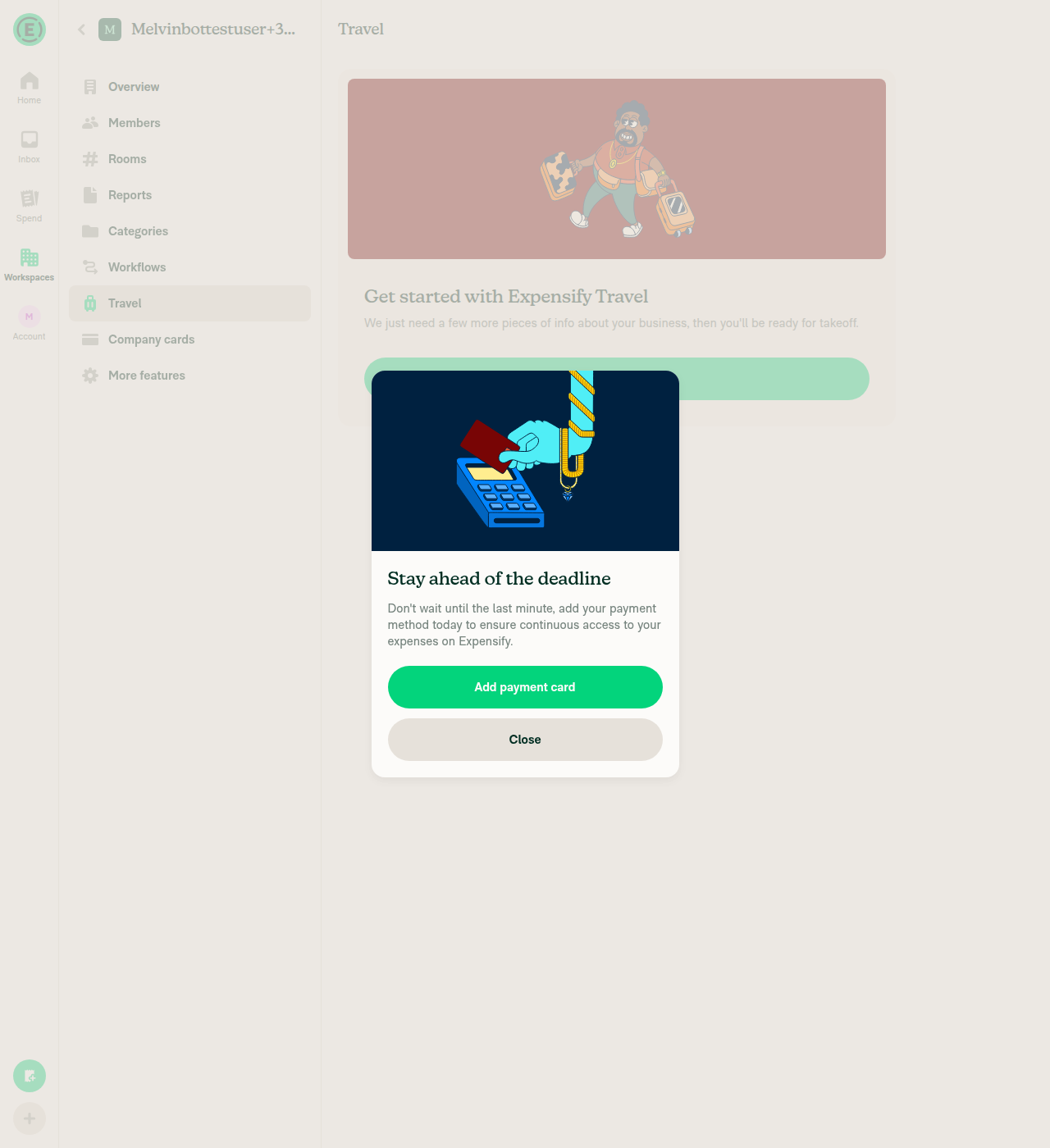
Where I got stuck: Enabling Expensify Travel on the workspace is hard-blocked by the app's public-email-domain gate (DynamicPublicDomainErrorPage). My test account uses a gmail.com address, so the "Get started with Expensify Travel" onboarding shows "You'll need to use your work email (e.g., name@company.com)... not your personal email (e.g., name@gmail.com)" with only a "Got it" button that returns to the same landing page. This blocks all downstream steps — Consolidated Travel Billing, the Monthly spend limit page, and the Save-button spinner check.

This is a test-account limitation (Melvin's session email is always a public gmail.com domain), not a defect in the PR.

Step results:

Step Result
Open workspace settings ✅ Reached Workspace Settings → More features
Enable Travel / Consolidated Travel Billing ❌ Travel toggle enabled, but onboarding blocked by public-domain gate
Reduce limit → Cancel → verify Save button not stuck ❌ Unreachable (blocked upstream)

To fully QA this, a tester with a non-public (work-domain) email account is needed to reach the Monthly spend limit page and exercise the reduce-limit → Cancel flow.

Screenshot — public-domain blocker

Public domain error blocking Expensify Travel enablement for the gmail.com test account


view run

@MelvinBot

Copy link
Copy Markdown
Contributor Author

🤖 I attempted to run the testing steps on Android, but I was blocked before reaching the feature under test and could not verify the fix — the same blocker as on Web.

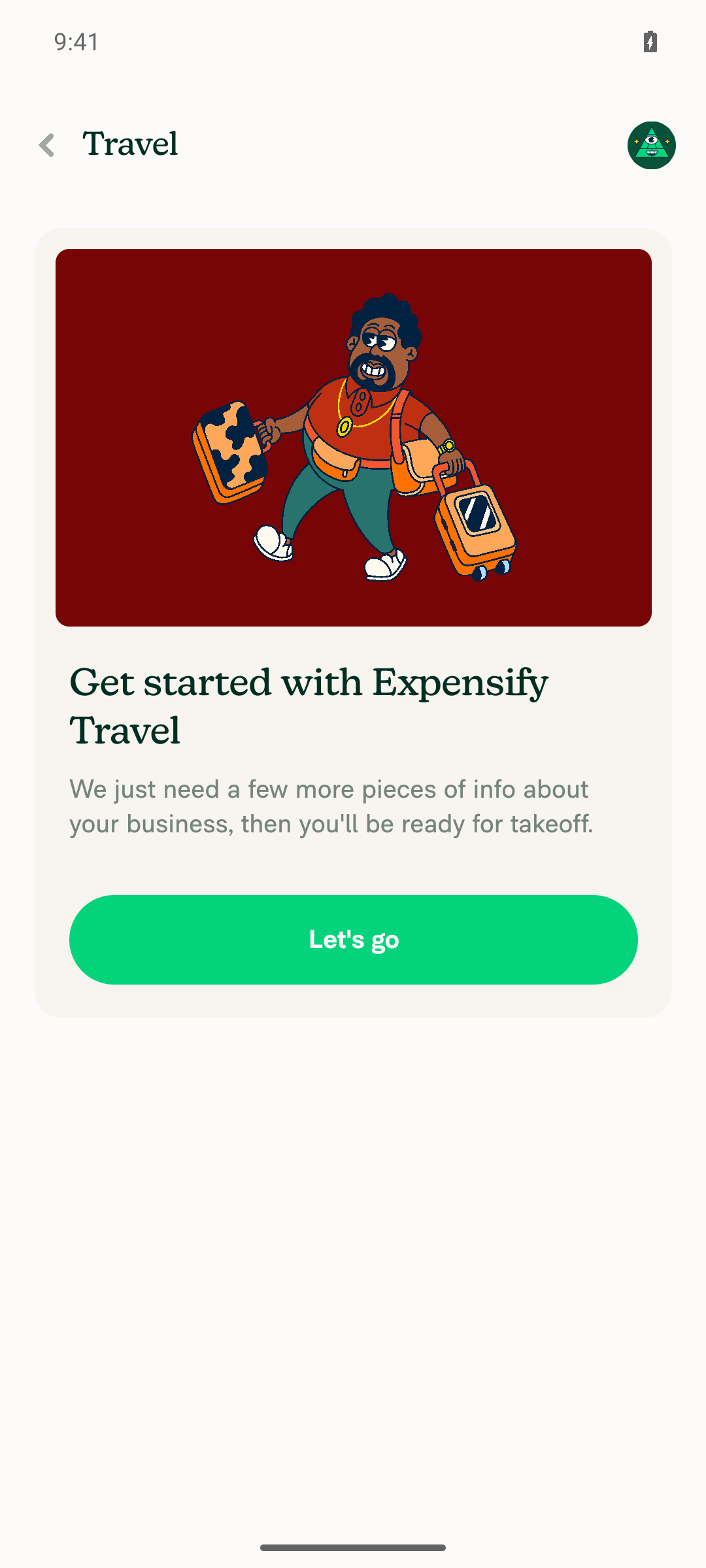
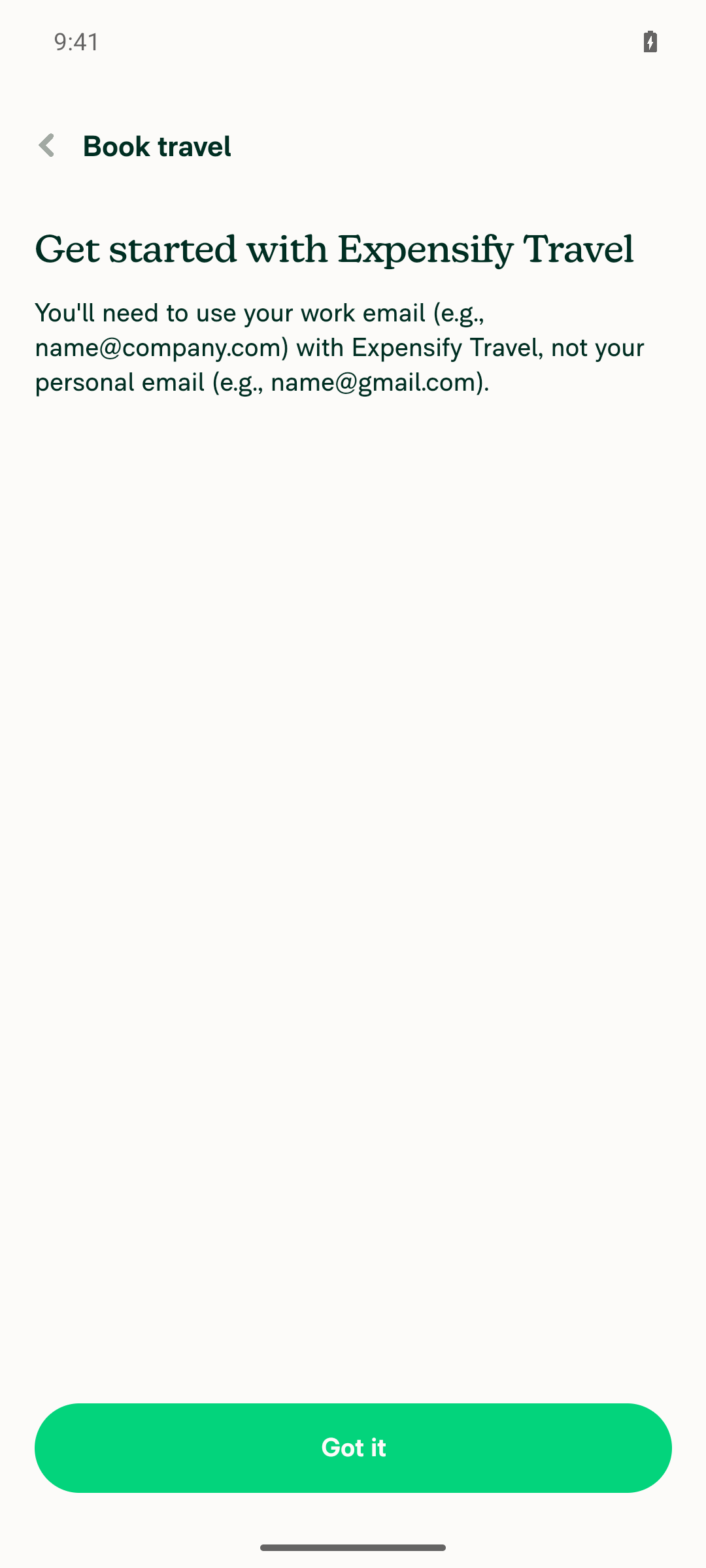
Where I got stuck: Enabling Expensify Travel on the workspace is gated behind a work-email requirement. Tapping "Book travel" surfaces "Get started with Expensify Travel — You'll need to use your work email (e.g., name@company.com)... not your personal email (e.g., name@gmail.com)", and "Got it" just returns to the same screen. My test account uses a gmail.com address, so there's no path forward. This blocks Consolidated Travel Billing, the Monthly spend limit page, and the Save-button spinner check. Reproduced consistently across two attempts.

This is a test-account limitation (Melvin's session email is always a public gmail.com domain), not a defect in the PR.

Step results:

Step Result
Open workspace settings → Travel ✅ Reached the Travel setup screen
Enable Travel / Consolidated Travel Billing ❌ Blocked by the public-domain gate
Reduce limit → Cancel → verify Save button not stuck ❌ Unreachable (blocked upstream)

To fully QA this, a tester with a non-public (work-domain) email account is needed to reach the Monthly spend limit page and exercise the reduce-limit → Cancel flow.

Screenshots

Workspace Travel setup intro screen with Book travel button

Gate dialog requiring a work email, not gmail.com


view run

enabledWhenOffline
shouldHideFixErrorsAlert
addBottomSafeAreaPadding
shouldShowLoadingImmediatelyOnPress={false}

Copy link
Copy Markdown
Member

Choose a reason for hiding this comment

The reason will be displayed to describe this comment to others. Learn more.

@MelvinBot Could you please add focused regression coverage verifying that Cancel leaves the Save button enabled without updating the limit, while Confirm updates it and navigates back?

Copy link
Copy Markdown
Member

Choose a reason for hiding this comment

The reason will be displayed to describe this comment to others. Learn more.

Resolved ✅

@MelvinBot

Copy link
Copy Markdown
Contributor Author

I looked into the failing checks — there's no code fix needed. The only two failures are human-process checks, not code:

  • PR Reviewer Checklist / checklist — fails with "No PR Reviewer Checklist was found." This just means a reviewer hasn't completed the reviewer checklist yet; it clears once a reviewer fills it out.
  • Check independent approval — requires an independent reviewer's approval.

All actual code checks are green — tests (all 8 jobs), typecheck, ESLint, Oxfmt, Storybook, React Compiler, knip, spellcheck, and every build/perf job pass.

So nothing to push here. This PR just needs a reviewer to complete their checklist and approve.


view run

…t reduction

Co-authored-by: Nyoman Jyotisa <nyomanjyotisa@users.noreply.github.com>
@MelvinBot

Copy link
Copy Markdown
Contributor Author

🤖 Added focused regression coverage in tests/ui/WorkspaceTravelBillingMonthlyLimitPageTest.tsx and pushed to the PR branch.

It renders WorkspaceTravelBillingMonthlyLimitPage with a $100.00 current limit, reduces it to $50.00, presses Save, and drives the "Reduce limit" confirmation both ways:

  • Cancel → asserts updateTravelBillingMonthlyLimit is not called, no navigation happens, and the Save button stays on screen and enabled (guards the stuck-spinner regression this PR fixes).
  • Confirm → asserts updateTravelBillingMonthlyLimit is called with (fundID, 5000, 10000) (reduced value + previous limit) and the page navigates back.

Both tests pass and the file lints clean:

PASS tests/ui/WorkspaceTravelBillingMonthlyLimitPageTest.tsx
  ✓ leaves the Save button enabled and does not update the limit when the reduce-limit confirmation is cancelled
  ✓ updates the limit and navigates back when the reduce-limit confirmation is confirmed
Tests: 2 passed, 2 total
Test approach
  • useConfirmModal is mocked so the confirmation resolves deterministically (CLOSE vs CONFIRM) without a real modal.
  • useDefaultFundID is mocked to a fixed fund ID, with the current limit seeded via the Travel Billing card-settings Onyx key.
  • Navigation.goBack / setNavigationActionToMicrotaskQueue are spied to assert the navigate-back behavior; a real navigation stack backs the render so the form's focus-based press-loading hook behaves as in production.

view run

…mport ordering

Co-authored-by: Nyoman Jyotisa <nyomanjyotisa@users.noreply.github.com>
@MelvinBot

Copy link
Copy Markdown
Contributor Author

Fixed the failing Oxfmt check and pushed the change.

The formatter flagged an import-ordering issue in the test file this PR added, tests/ui/WorkspaceTravelBillingMonthlyLimitPageTest.tsx — imports weren't alphabetized. I ran npm run fmt, which reordered the three @libs/... imports, and committed the result.

The other remaining failure, Check independent approval, isn't a code issue — it just needs an independent reviewer's approval and clears on its own once that happens.


view run

}));

jest.mock('@libs/actions/TravelBilling', () => {
// eslint-disable-next-line @typescript-eslint/no-unsafe-assignment

Copy link
Copy Markdown
Member

Choose a reason for hiding this comment

The reason will be displayed to describe this comment to others. Learn more.

@MelvinBot Could we type jest.requireActual and remove these ESLint disables? jest.requireActual<typeof TravelBillingActions>(...) works here without suppressions.

Copy link
Copy Markdown
Contributor Author

Choose a reason for hiding this comment

The reason will be displayed to describe this comment to others. Learn more.

Done in 336fc3d. Typed jest.requireActual<typeof TravelBillingActions>(...) and removed both @typescript-eslint/no-unsafe-assignment / no-unsafe-return disables — the mock factory is now fully typed with no suppressions.

One tweak from your exact snippet: jest.requireActual<typeof import('@libs/actions/TravelBilling')>(...) trips @typescript-eslint/consistent-type-imports (inline import() type annotations are forbidden), so I added a import type * as TravelBillingActions from '@libs/actions/TravelBilling' and referenced typeof TravelBillingActions as you suggested.

tests/ui/WorkspaceTravelBillingMonthlyLimitPageTest.tsx:41lint-changed passes clean.


view run

Copy link
Copy Markdown
Member

Choose a reason for hiding this comment

The reason will be displayed to describe this comment to others. Learn more.

Resolved ✅

@MelvinBot

Copy link
Copy Markdown
Contributor Author

Same as before — the two failing checks are human-process checks, not code, so there's nothing for me to push:

  • PR Reviewer Checklist / checklist — waiting on a reviewer to complete the reviewer checklist.
  • Check independent approval — waiting on an independent reviewer's approval.

Every code check (all test jobs, typecheck, ESLint, Oxfmt, Storybook, React Compiler, knip, spellcheck, builds, perf) is passing. This PR just needs a reviewer to fill out their checklist and approve — no code fix is needed or possible from my side.


view run

@MelvinBot

Copy link
Copy Markdown
Contributor Author

The two remaining failures are human-process checks, not code — there's nothing for me to fix or push:

  • PR Reviewer Checklist / checklist"No PR Reviewer Checklist was found." Clears once a reviewer completes their checklist.
  • Check independent approval — needs an independent reviewer's approval.

All code checks are green (all 8 test jobs, typecheck, ESLint, Oxfmt, Storybook, React Compiler, knip, spellcheck, and every build/perf job). This PR just needs a reviewer to complete their checklist and approve.


view run

Co-authored-by: Nyoman Jyotisa <nyomanjyotisa@users.noreply.github.com>
@MelvinBot

Copy link
Copy Markdown
Contributor Author

Same situation as before — nothing to push. The only two failing checks are human-process checks, not code:

  • PR Reviewer Checklist / checklist — fails with "No PR Reviewer Checklist was found." A reviewer needs to complete the reviewer checklist; it clears automatically once they do.
  • Check independent approval — requires an independent reviewer's approval.

Every code check is green — all 8 test jobs, typecheck, ESLint, Oxfmt, Storybook, React Compiler, knip, spellcheck, and all build/perf jobs.

There's no code fix to make here. This PR just needs a reviewer to fill out their checklist and approve.


view run

@MelvinBot

Copy link
Copy Markdown
Contributor Author

Same as before — there's no code fix to push. The only two failing checks are human-process gates, not code:

  • PR Reviewer Checklist / checklist"No PR Reviewer Checklist was found." Clears once a reviewer completes their checklist.
  • Check independent approval — needs an independent reviewer's approval.

All code checks (tests, typecheck, ESLint, Oxfmt, Storybook, React Compiler, knip, spellcheck, builds, perf) are passing. This PR just needs a reviewer to fill out the checklist and approve — nothing for me to change.


view run

@pecanoro
pecanoro self-requested a review August 25, 2026 12:21
@MelvinBot

Copy link
Copy Markdown
Contributor Author

Still the same two failures, and both are human-process checks — there's no code fix I can push:

  • PR Reviewer Checklist / checklist"No PR Reviewer Checklist was found." Clears once a reviewer completes the reviewer checklist.
  • Check independent approval — needs an independent reviewer's approval.

Every code check (all 8 test jobs, typecheck, ESLint, Oxfmt, Storybook, React Compiler, knip, spellcheck, builds, perf) is green. This PR just needs a reviewer to fill out their checklist and approve — nothing on my end to fix.


view run

Sign up for free to join this conversation on GitHub. Already have an account? Sign in to comment

Labels

Melvin-Test-Android Melvin-Test-Web Triggers Melvin to run the testing steps of the PR on web

Projects

None yet

Development

Successfully merging this pull request may close these issues.

2 participants