






A universal cache inspector for Django.
Compatible with dj-control-room. Register this panel in the Control Room to manage it from a centralized dashboard.
- Official site: djangocontrolroom.com
- Project repo: dj-control-room
https://django-control-room.github.io/dj-cache-panel/
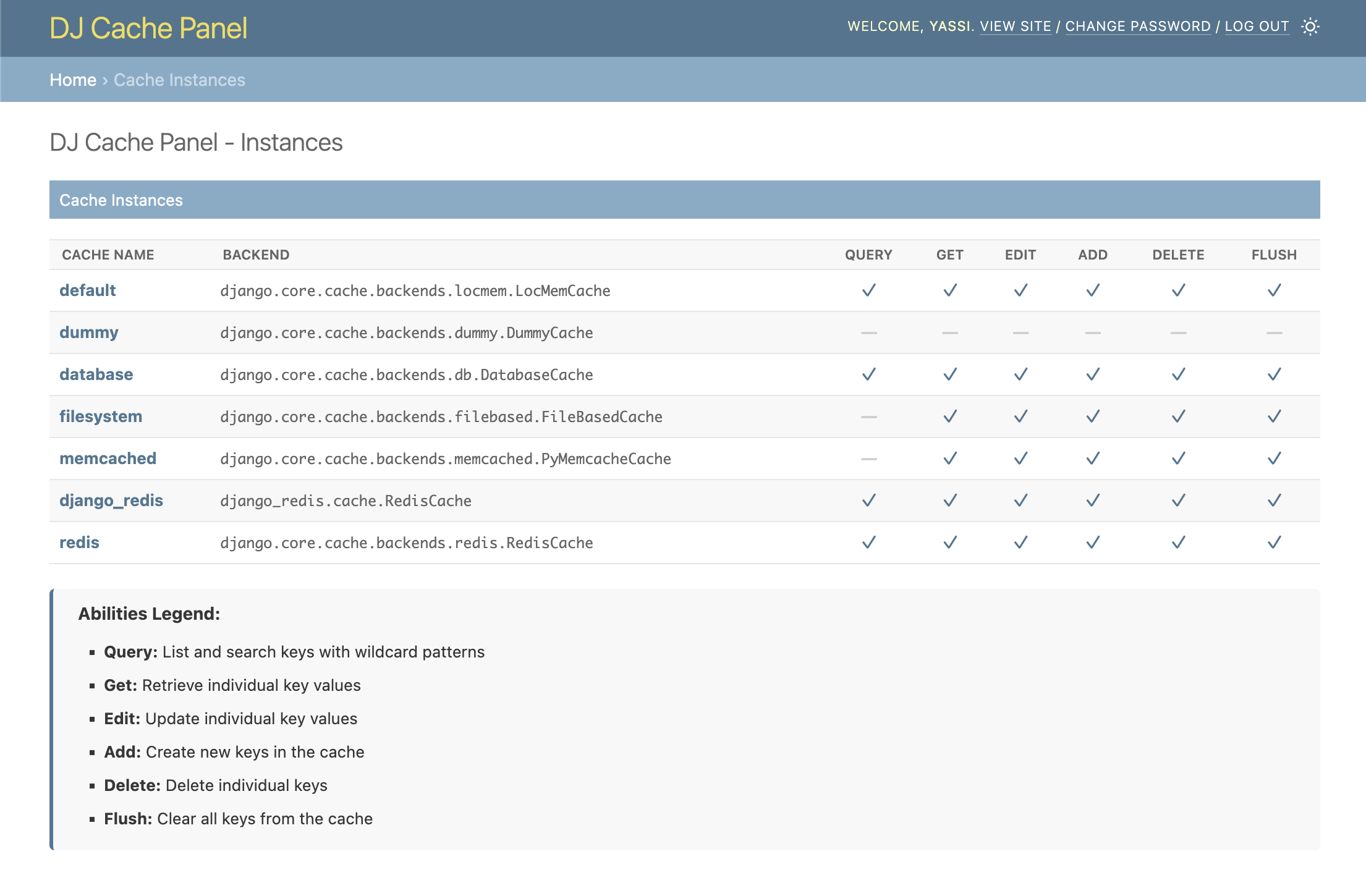
- Browse Cache Instances: View all configured cache backends from your
CACHESsetting - Abilities Matrix: See at a glance which operations each cache supports (Query, Get, Delete, Flush)
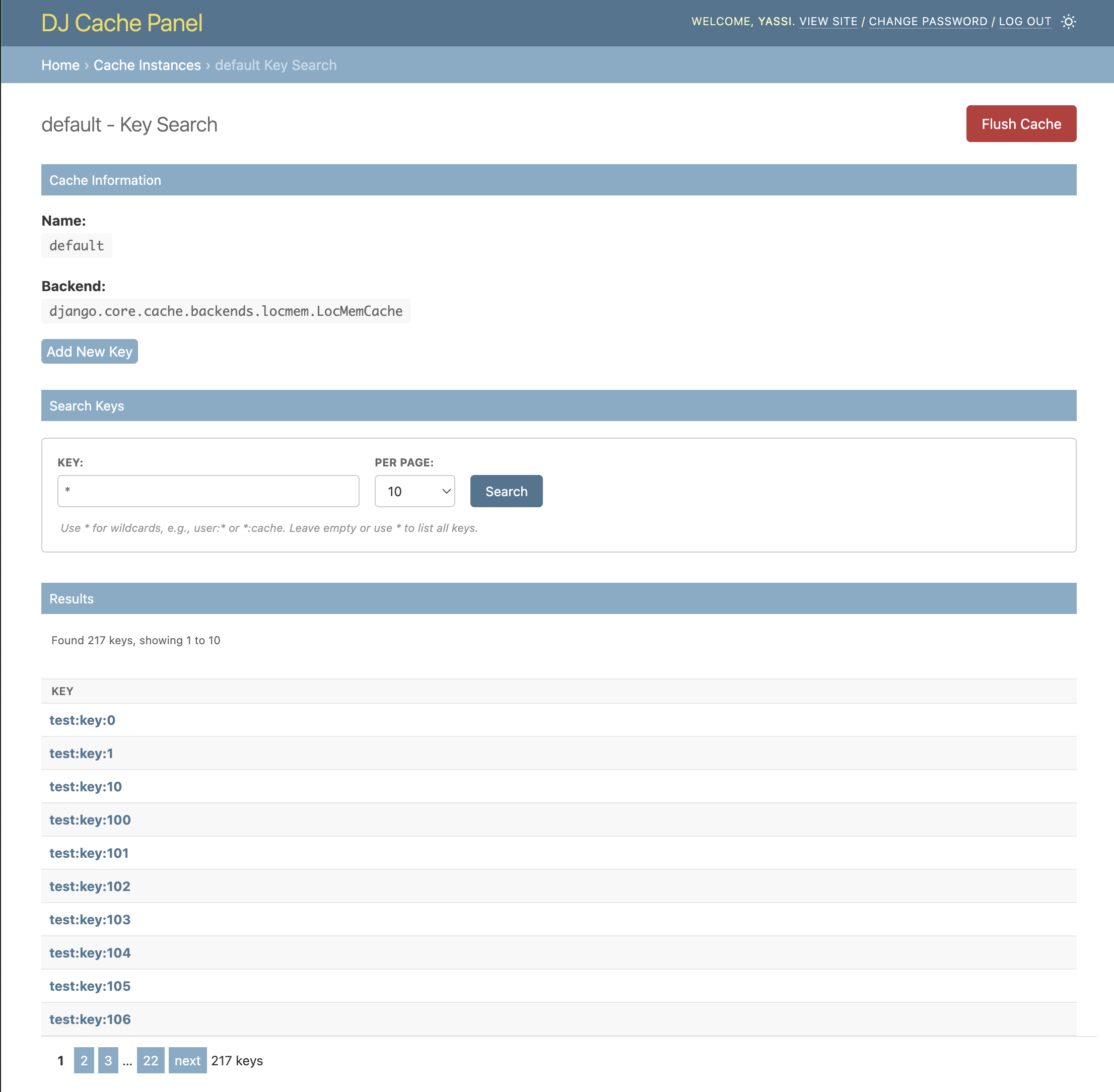
- Key Search: Search and browse cache keys with wildcard patterns (for supported backends)
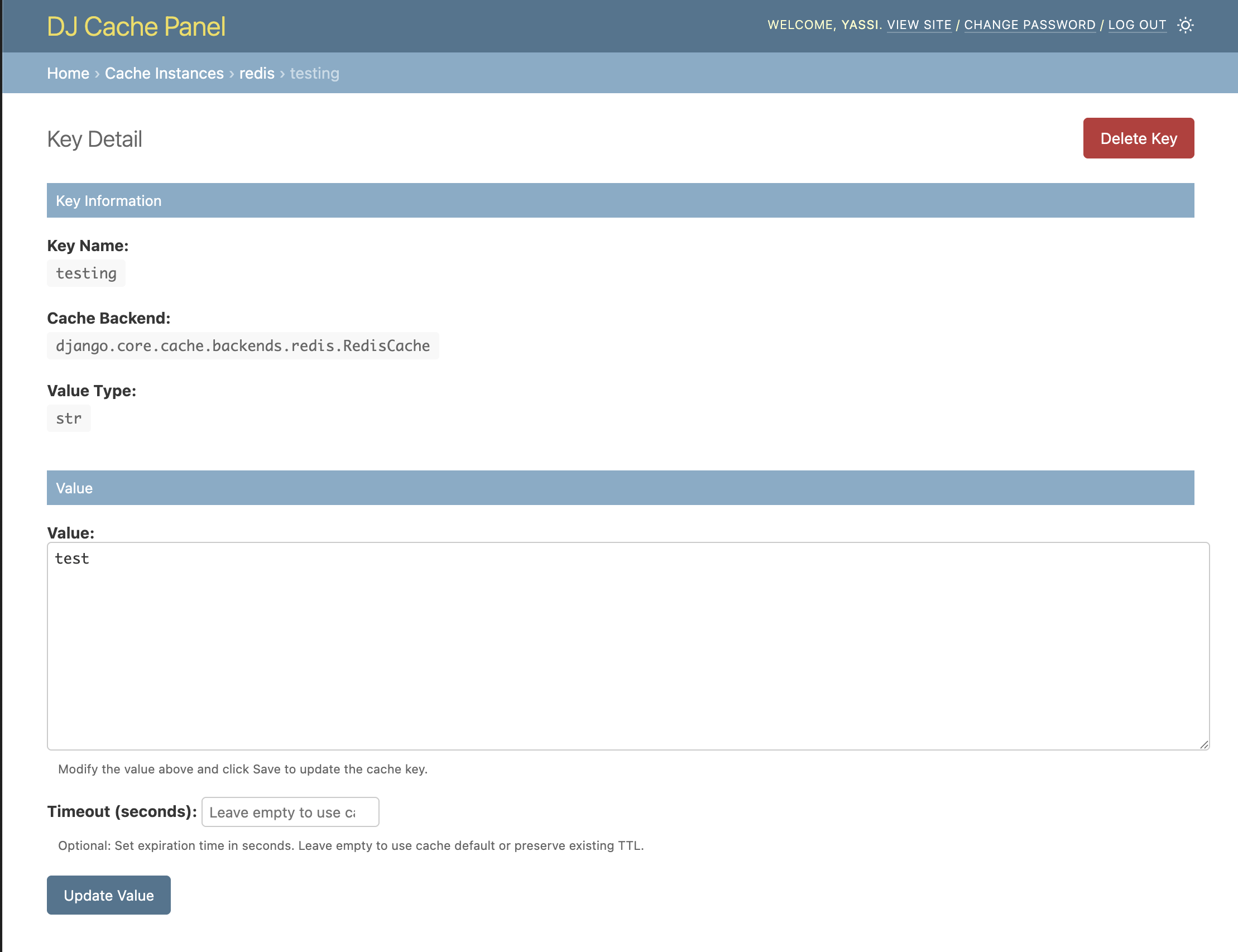
- Value Preview: View cache values directly in search results
- Pagination: Navigate through large sets of keys efficiently
- Admin Integration: Seamlessly integrates with Django's admin interface
- Secure: Only accessible to staff users
- Backend Agnostic: Works with any Django cache backend (with varying feature support)
- Python 3.9-3.14
- Django 4.2+
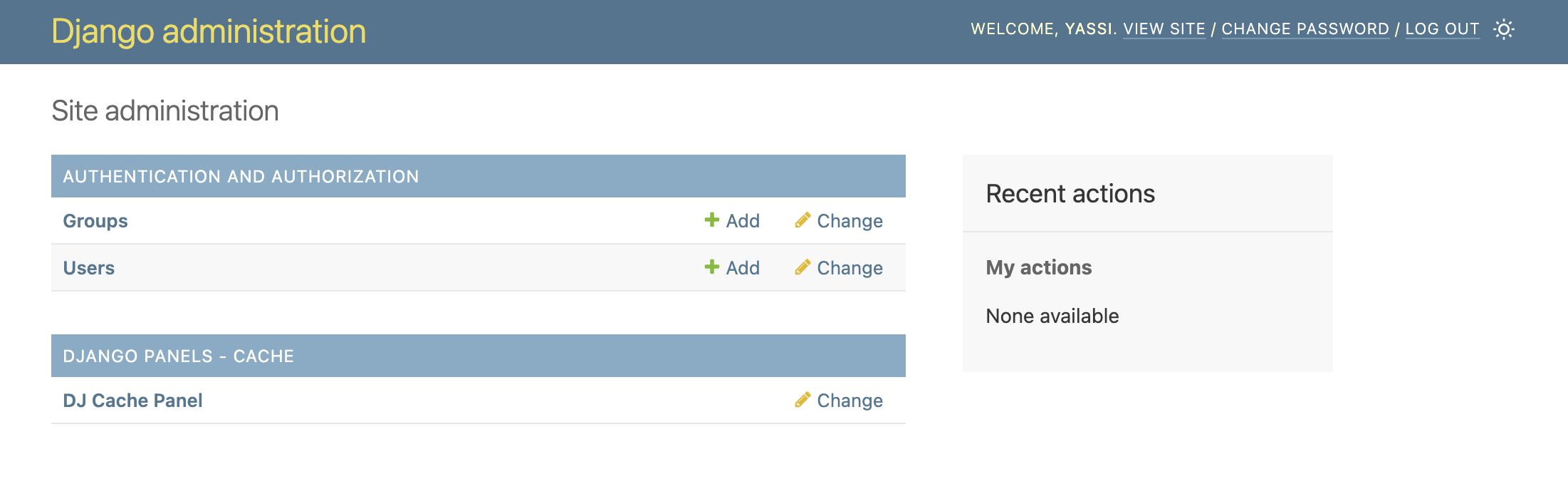
Seamlessly integrated into your Django admin interface. A new section for dj-cache-panel will appear in the same places where your models appear.
NOTE: This application does not actually introduce any model or migrations.
Get a list of all your caches as well as the allowed capabilities for each cache
pip install dj-cache-panel dj-control-roomOptional Valkey support (requires Python 3.10+):
pip install dj-cache-panel[valkey] dj-control-roomAdd it to INSTALLED_APPS, include its URLs, and migrate:
INSTALLED_APPS = [
    # ...
    "dj_control_room_base",
    "dj_cache_panel",
    "dj_control_room",
    # ...
]
urlpatterns = [
path("admin/dj-control-room-base/", include("dj_control_room_base.urls")),
path("admin/dj-cache-panel/", include("dj_cache_panel.urls")),
path("admin/dj-control-room/", include("dj_control_room.urls")),
path("admin/", admin.site.urls),
]The panel reads your existing Django CACHES setting. no extra instance config required for most projects. Advanced options (backend panel mappings, per-cache ability overrides, CSS) are covered in Configuration.
python manage.py migrateThen visit /admin/ and look for the "DJ CACHE PANEL" section.
For the full walkthrough and production recommendations, see the Installation and Configuration docs. See Scopes for per-view permission scopes.
This project is licensed under the MIT License. See the LICENSE file for details.
Want to contribute or set up the project for local development? See docs/development.md for prerequisites, Docker/virtualenv setup, running the example project, and the test suite.